Adjust: help center launch
The Adjust Help Center was a complete effort to redesign, rewrite, and reorganise Adjust's user-facing documentation, moving it from a simple static site generator to Salesforce.
The Help Center was planned, written, and executed by me and my team lead. The project also established the style, grammar, and formatting standards that were adopted across teams.
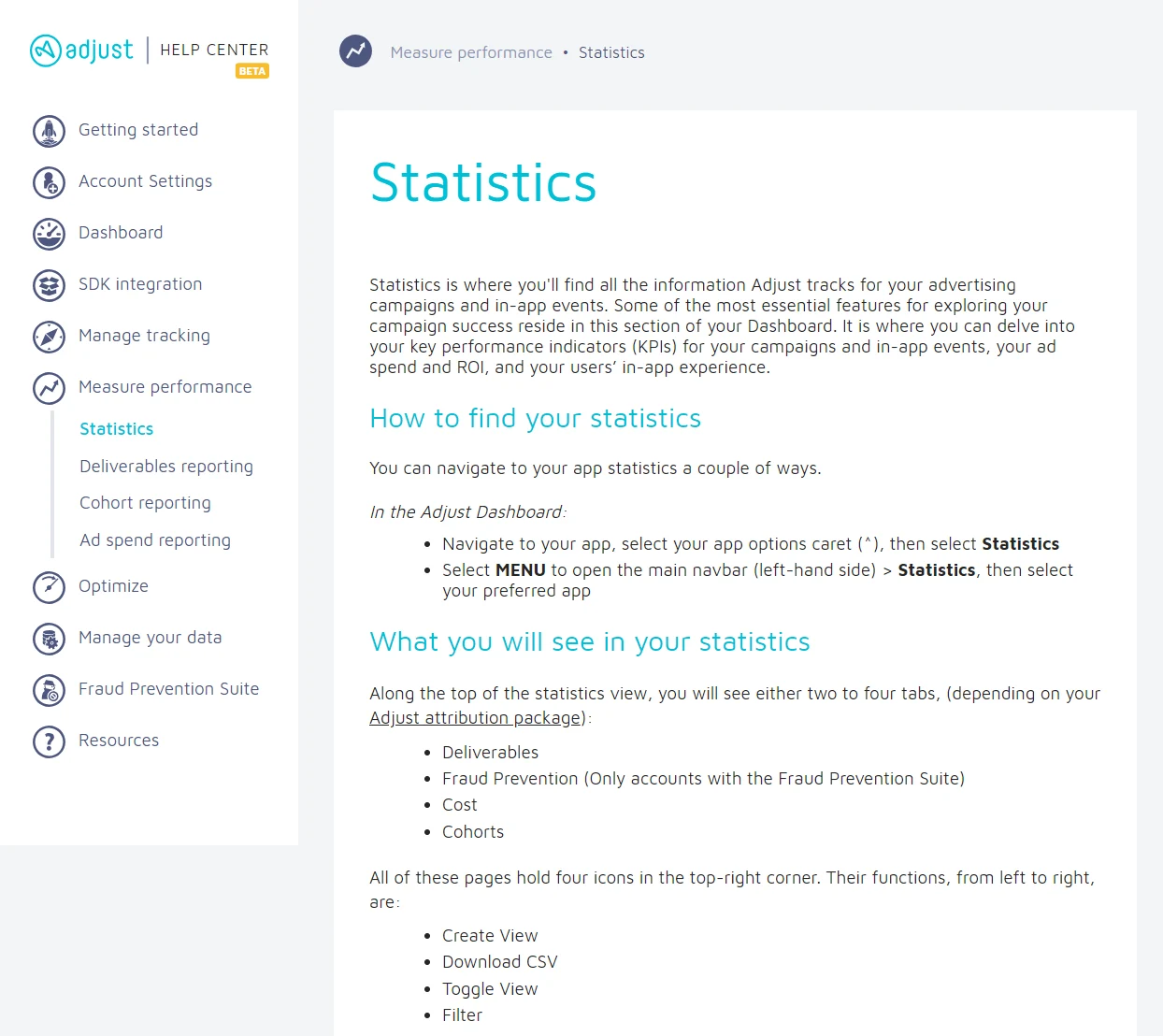
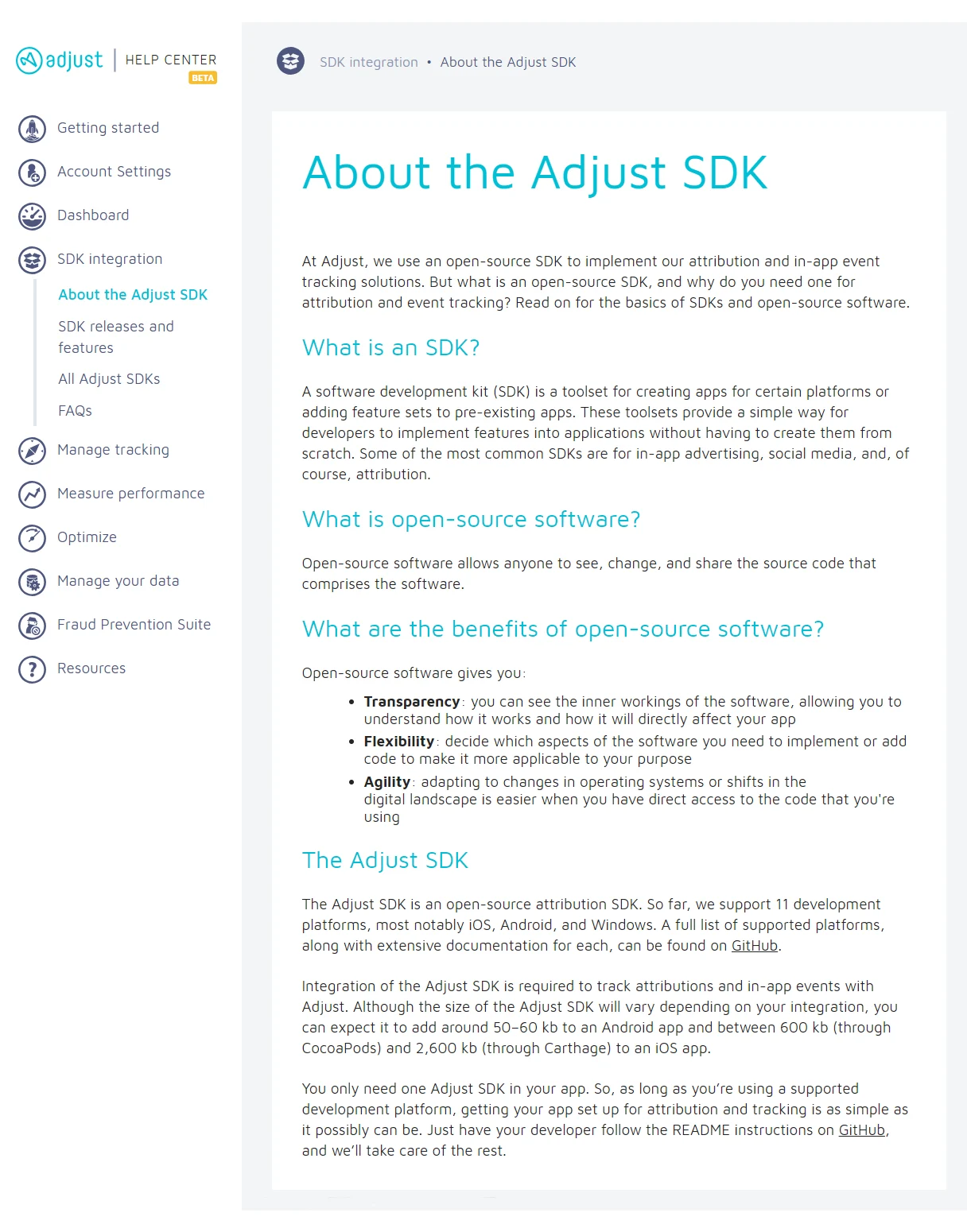
The live Help Center has changed since I left Adjust in 2018. The screenshots below show it at launch.
Restructuring
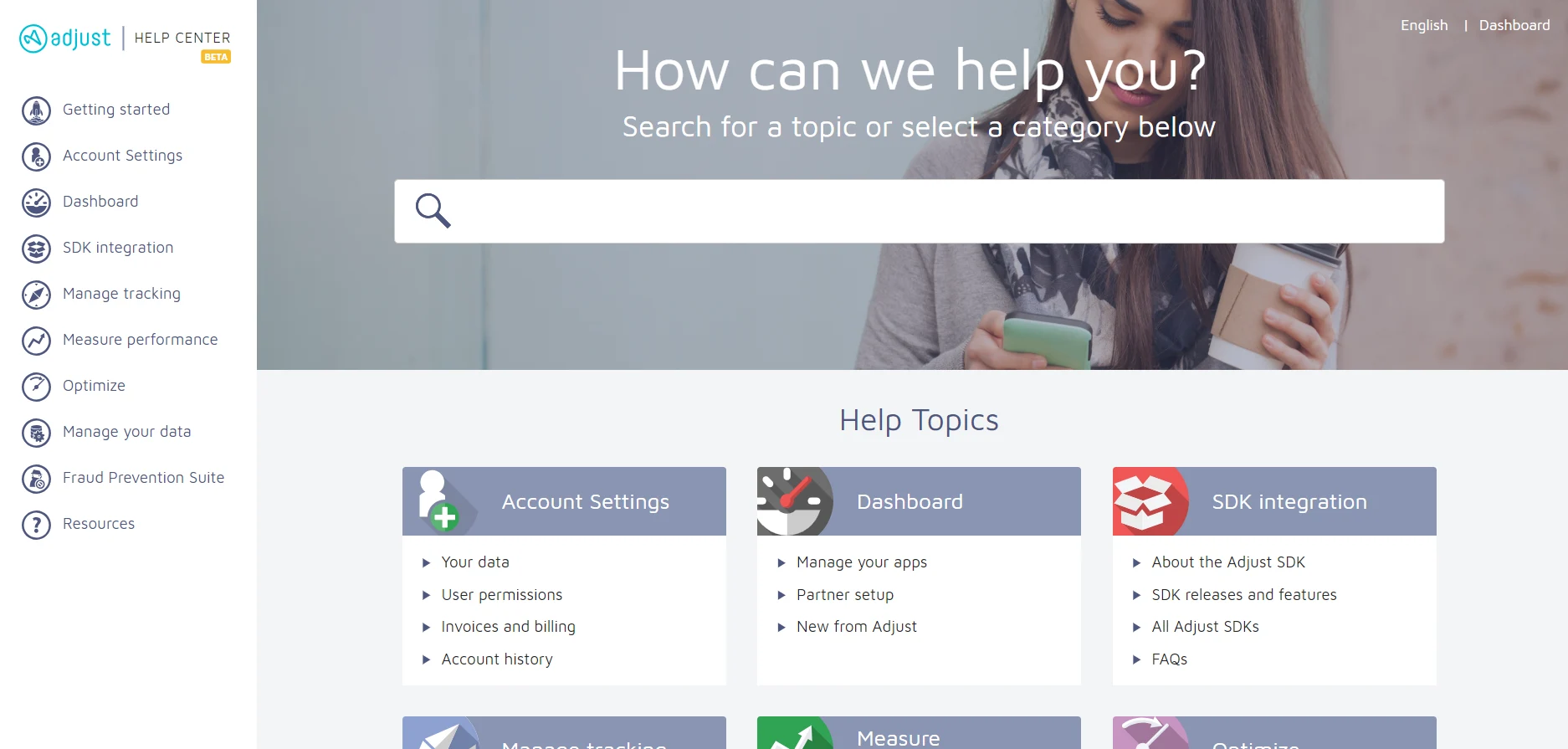
The first task was to restructure the information architecture of the site. The old docs homepage was little more than a randomly arranged collection of tiles leading to unwieldy articles, which intimidated and confused users.
We decided that the information architecture should mirror the user journey through Adjust: first setting up their account and integrating the Adjust SDK, then configuring their ad campaigns and viewing their performance statistics, before finally acting on that information.
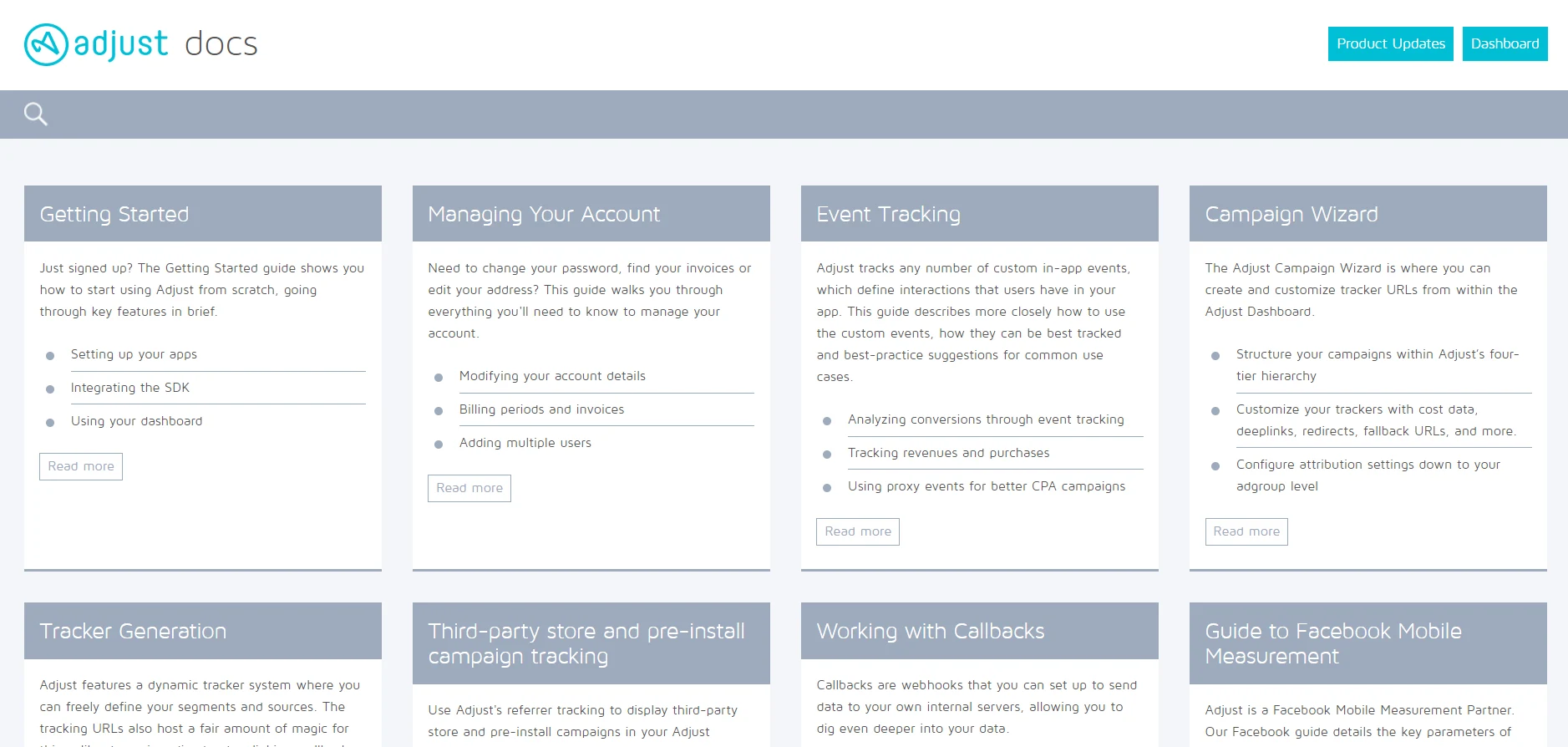
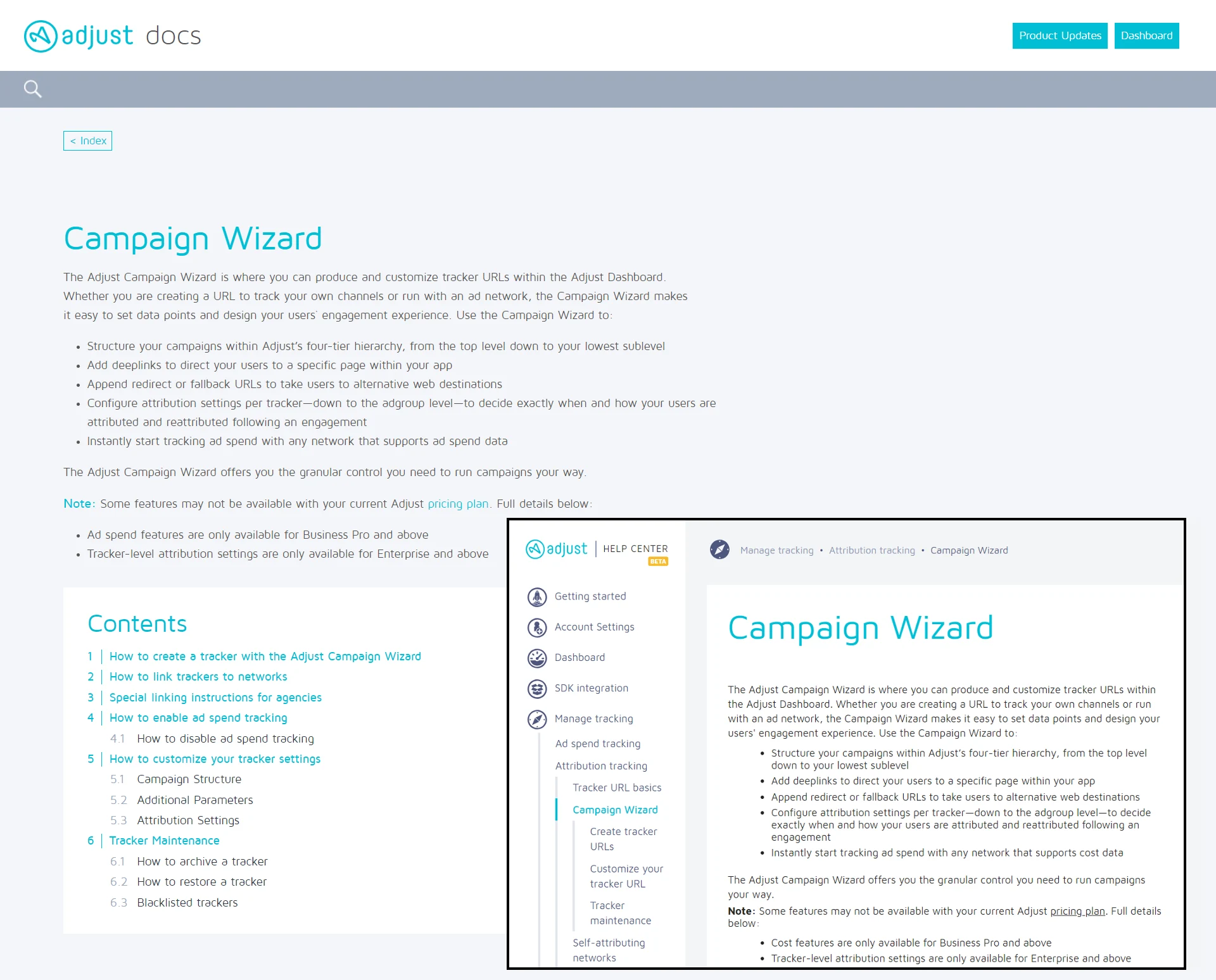
When pages were not completely rewritten from the old docs site, they were often broken into separate pages for each aspect of the feature. Here, the lengthy Campaign Wizard page has been divided into an introductory page and three sub-pages for the Help Center.
New and rewritten pages
A wealth of new content had to be created for the Help Center. This made up the bulk of the work, as only the two of us were working on this project.
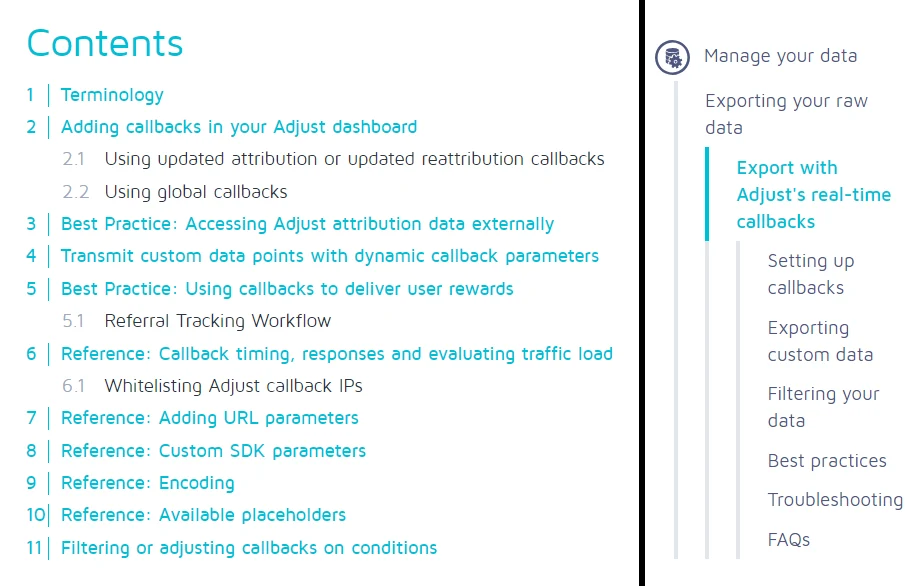
Pages from the old docs site that predated my employment at Adjust were completely rewritten. For example, compare the “Callbacks” page on the docs site against the callbacks section on the Help Center (left and right side of the screenshot below, respectively). The necessary content was created from scratch, replacing an 11-section single page with 7 individual pages, providing more in-depth, exhaustive and navigable content.
Plenty of new content had to be created for aspects of the product that were not covered on the docs site.
The most glaring omission was the lack of documentation on how to use the Adjust Dashboard, so a whole new section had to be created for this (the “Measure performance” section in the first screenshot below), as well as for SDK integration (see the second screenshot below).